


Synchronize Passwords
Keep your Active Directory passwords synchronized across your internal and external Active Directories. Make it easier for administrators to replicate and track password changes across Active Directories.








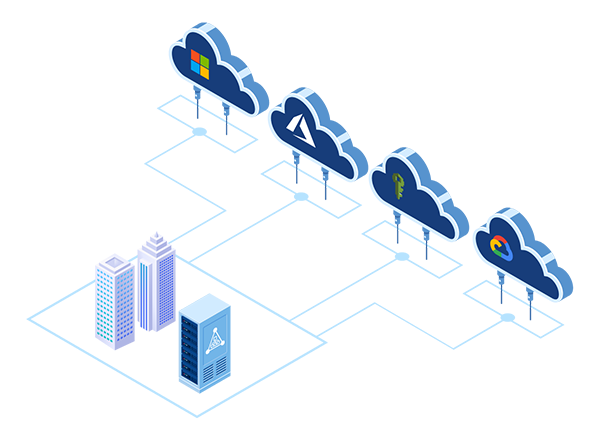

Hosting Controller's AD Connect Sync is a synchronization tool between source Active Directory instances and multiple other targets.
Boost Active Directory efficiency with Hosting Controller AD Sync Software. Synchronize identity data between on-premises Active Directory environments.
Hosting Controller's AD Connect Sync, is a tool designed to support an architecture where the existing on-premises Microsoft Active Directory serves as the single source of truth for core Identity and Access related data. This core data includes:
See how AD Connect Sync synchronizes identities across Active Directories with mapping, password sync options, and tools built for multi-forest environments.
Enable an organization to setup automatic synchronization between master AD and one or more public IAM systems including Amazon AWS, Microsoft 365, Microsoft Azure, Google Cloud Platform, and any other cloud hosted Active Directory. Synchronize identities, group membership and passwords to various IAM targets with ease.
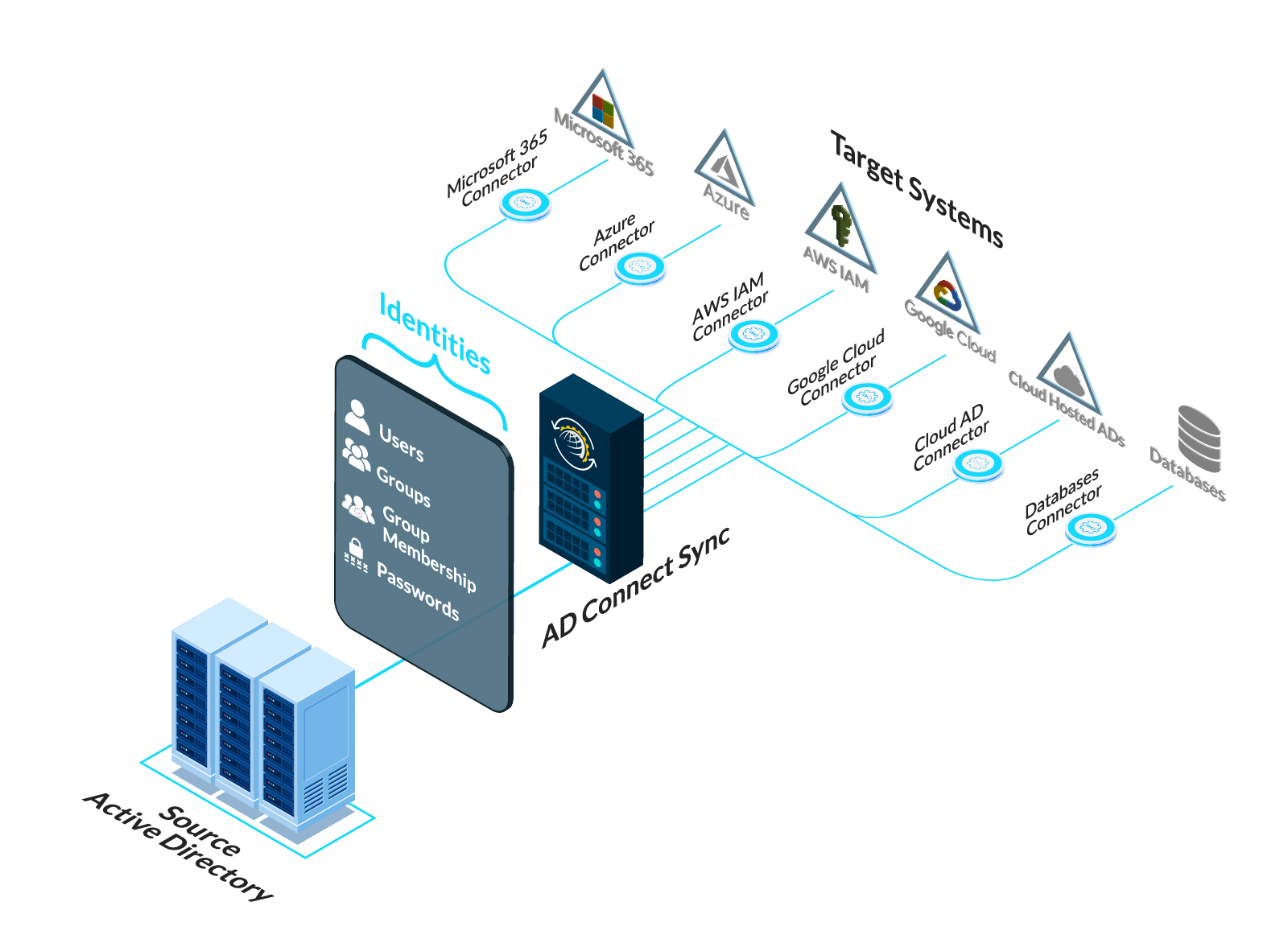
Synchronize identities, group membership and passwords to various IAM targets with ease.
Used to synchronize Active Directory data where normal Active Directory replication cannot be used for any reason.
Enables one master Active Directory and changes are synchronized to other AD instances.
Keep your Active Directory passwords synchronized across your internal and external Active Directories. Make it easier for administrators to replicate and track password changes across Active Directories.
Perform one-way synchronization of identity data (users, groups) between master AD and your hosted Active Directory. Manage account changes across multiple systems.
Reflect group membership changes made in master Active Directory, to the hosted environment in real-time. Provide a complete and efficient identity management solution to your business.
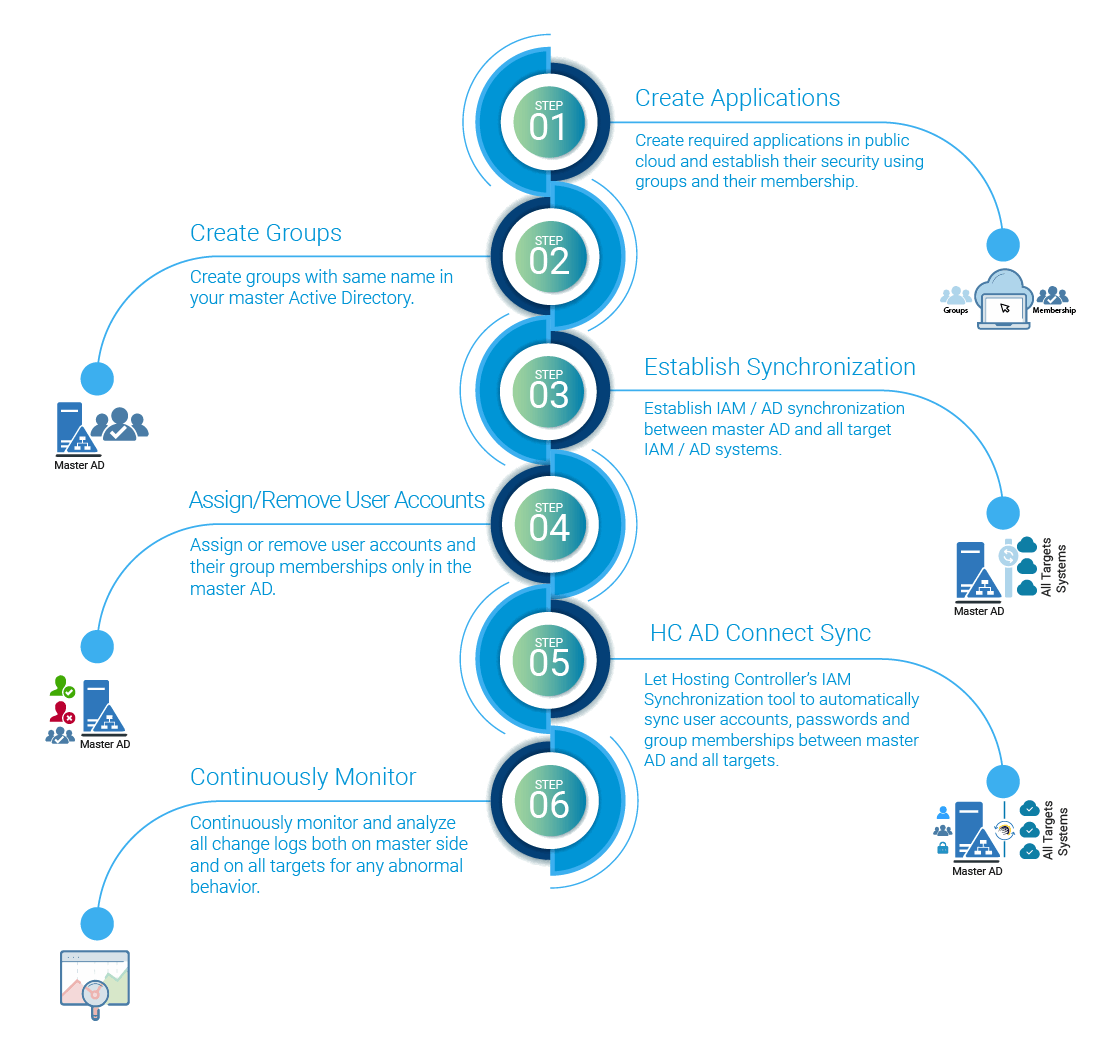
The bulk of security still revolves around having users, identified by their passwords, having access to resources through a role based security or group policy. Organizations have spent years maturing their Active Directory infrastructure and processes. As an organization onboards yet another public cloud, it comes with its own set of IAM (Identity and Access Management) paradigm. While configuring security and group policies is an allied and most important task of onboarding another cloud platform, the regular assignment and revocation of those policies to users quickly becomes an operations nightmare if not automated. Hosting Controller is a unified cloud management tool and includes support for multi-cloud deployment in different ways. But all those features share a way to synchronize changes between local master Active Directory environments and public cloud IAMs. It synchronizes:
As a user is created in the master Active Directory, its replicated across multiple public cloud IAMs.
Passwords are changed in the master Active Directory only through whatever security means are already in place for the organization. As soon as the password is changed in the master AD, it is automatically synchronized into multiple targets.
As a user is assigned or revoked a group membership, it is synchronized in the IAM.
AD Connect Sync is a desktop solution.
Direct installation on Domain Controllers.
Management at the entity level with more local control.
One-way sync of passwords.
A user with significant privileges can log in to the DC.
Logging available individually on the entity sites.
AD Connect Sync Plus is a web-based solution.
Installation required only on Mediation servers.
Central management via a single console.
Two-way sync of passwords.
Multiple admins have administrative control.
Centralized monitoring, logging, and reporting.
As your organization evolves and finds its optimum mix of on-prem and cloud based services, AD Connect Sync tool is there to support any and all Identity management topologies.
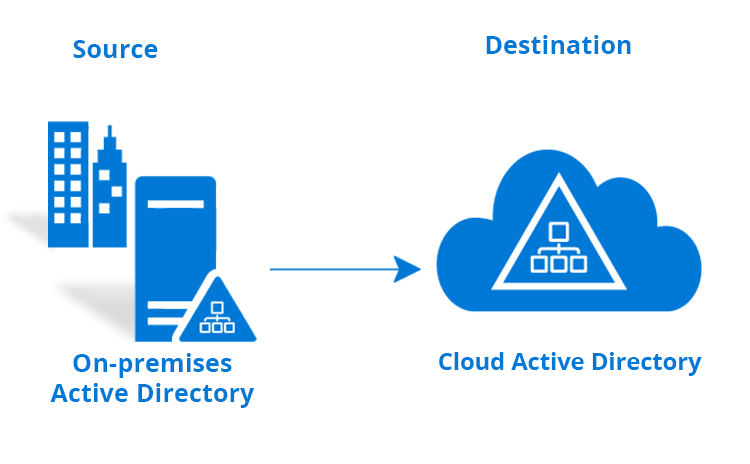
One Source - One Destination. Typical Use Case: On-Prem to Cloud.

One Source - Multiple Destinations. Typical Use Cases: Distributed Applications.
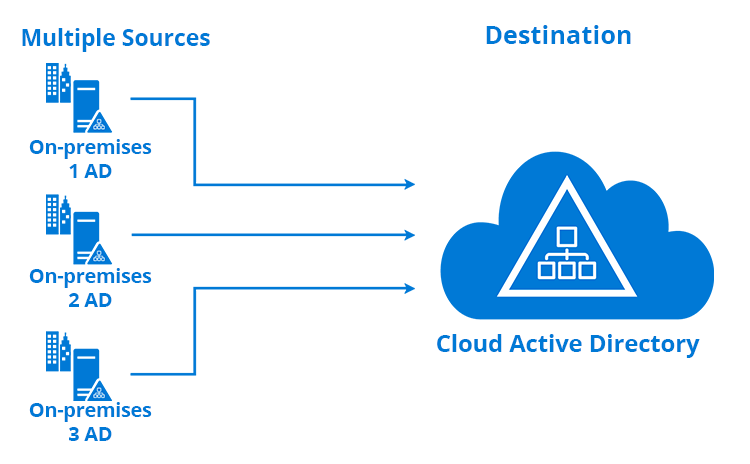
Multiple Sources - One Destination. Typical Use Case: Cloud Service Provider.

No trust relationship is needed between the source and the destination

Admins can choose just what they want to copy down to a single user, group or contact

Passwords are also copied in real-time and synchronized automatically across all targets

Uses LDAP to synchronize between Active Directories

Copying rules enable rule based changes to data as it is being copied

Maintains an audit trail of all activity through comprehensive logging
Synchronize without exposing your Domain Controllers to unwarranted and unneeded installations.

The business scenarios and rationale for using AD Connect Sync.

SSOT (Single Source of Truth) is a strategy and software architecture with its roots in data science, where every piece of data is mastered in exactly one place. Applied to identity, your on-premises Active Directory becomes that single master, and AD Connect Sync copies its users, passwords and groups outward to every other directory that needs them, so there is never a conflicting or stale copy of an identity to reconcile.
Read More
As cloud adoption increases, organizations are finding requirements to copy their identity data into many different Active Directory repositories in the cloud. If you are moving to AWS Active Directory or any other hosted Active Directory in the cloud, AD Connect Sync is the tool to do that.

No two mergers ever go the same way. If you are faced with a task to arrange for the merger...
Read More
If your organization has moved many applications to Amazon AWS and you realize a need to...
Read More
Single Sign-on Application require public access to the AD. While most Active Directories are hosted on-prem and may be in a very secured network usually running only on Private IP addresses, it is easier for many reasons to host a copy in the cloud with just enough access to enable Single Sign-On.

For an organization running an master Active Directory server, all users need to login...
Read More
When applications are running distributed into many clouds, a local repository hosted close to the application has many benefits. If the application is made to access a remote repository, the latency and bandwidth requirements are huge. If the application only needs a subset of AD attributes, AD Connect Sync can be made to copy only the required parameters.

As cloud adoption grows, so does a need to arrange migrations. It may seem ideal...
Read More
This use-case was typically for the service providers where they would host a service requiring Active Directory authentication....
Read MoreIt is important that you maintain a healthy synchronization between your local and Cloud Active Directories. Quickly spotting and diagnosing anomalies is the key to success. AD Connect Sync is accompanied by a robust monitoring tool, which not only identifies any bottle necks in the whole process but also makes available visual representations in the form of daily and weekly stats and reports.
There are plenty of good reasons to use HC ADSync for synchronizing your master AD identities with those in the Cloud. The most important ones are:
HC ADSync is far easier to implement than other more complex options. Installing and configuring HC ADSync simply involves a few one-time configuration steps. HC ADSync is a simple service which requires an installation over the primary (or additional) domain controllers. Once installed, AD objects can be selected to initiate the sync process between the ADs.
HC ADSync does not require a two-way trust relationship to be established between domains, neither does it demand the added complication of deploying an ADFS infrastructure. No additional servers, SSL certificates or DNS entries are required. This keeps the deployment lightweight and reduces the ongoing maintenance and security overhead, so your team can be up and running quickly without changing the existing network topology.
Costs can be cut substantially by deploying AD Connect Sync. There are no additional costs to consider above those of the licenses whereas other more expensive alternates like ADFS require additional server licensing, SSL certificates, hardware costs and/or virtual infrastructure resources and consultancy costs.
Core features and functionality of AD Connect Sync.
Push newly provisioned users to the hosted/Cloud environment.
Intercept changes to user passwords on the master AD in real time and replicate to related user object on the hosted AD.
Sync any changes to user attributes such as displayName, company, mobile etc.
Push newly created Distribution and Security groups to the hosted/Cloud environment.
Sync group attributes to the hosted environment.
Synchronize any membership changes to the Cloud environment.
Replicate new contacts seamlessly between master AD and Cloud.
Choose convenient time intervals for synchronization.
Send requests securely over LDAPs.
Enable or prevent selected few attributes of a user to be synchronized.
Choose required few users, groups and contacts from a specific organization (OU) to be synced.
Synchronize a single local AD with multiple Cloud Domain Controllers.
AD Connect Sync gives you a straightforward, lightweight way to keep identities consistent across on-premises and cloud directories, without the cost and complexity of heavier alternatives. It installs directly on your domain controllers, needs no two-way trust or ADFS infrastructure, and keeps working quietly in the background so administrators spend less time reconciling accounts and more time on higher-value work. The result is a simpler, more secure identity foundation that scales with your business.
AD Connect Sync Interfaces at a Glance