Outlook Edition
ExSign for Exchange
Client-Side Signatures for Exchange Server.

Signatures in Outlook (Client-Side)
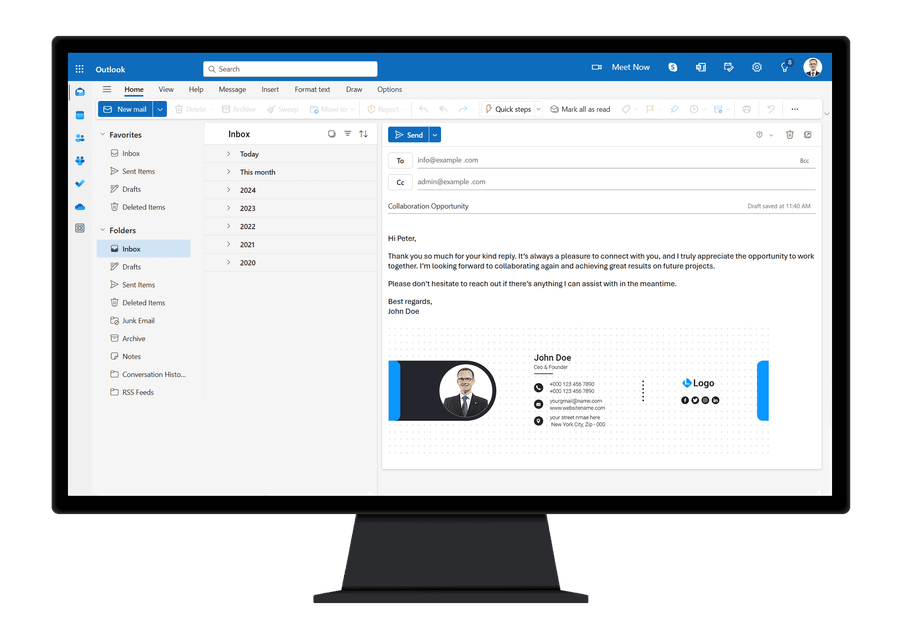
Allow your users to see their signatures directly in their Outlook clients. With the ExSign for Exchange Outlook Edition, signatures are directly added to the email body as senders compose their email in Microsoft Outlook. Utilizing the ExSignClient.exe, signatures are automatically fetched and added/updated in Outlook, offering end users an excellent opportunity to view their signatures as they type in their emails.
See a List of Its Features Below
ExSign for Microsoft Exchange (Client-Side) is an ideal email signature solution for companies that want users to fully preview their signatures before sending email.

Microsoft Gold Partner
Client-Side Capabilities
See a List of Its Features Below
ExSign for Microsoft Exchange (Client-Side) is an ideal email signature solution for companies that want users to fully preview their signatures before sending email.
Web Based Tool
Admins can access the central portal anytime through a web browser.
Central Management
Admins can view all the rules and signatures across multiple Exchange environments in one place and administer them accordingly.
More Control
Provides users with more control over their email signatures as they can preview signatures before sending email.
Continuous Update
Checks for new signature updates either once at startup or at regular intervals and updates signatures accordingly.
Multi-Level Access
Multiple user roles based on Active Directory security groups can access their interfaces to define their own rules and signatures.
Active Directory Profiles
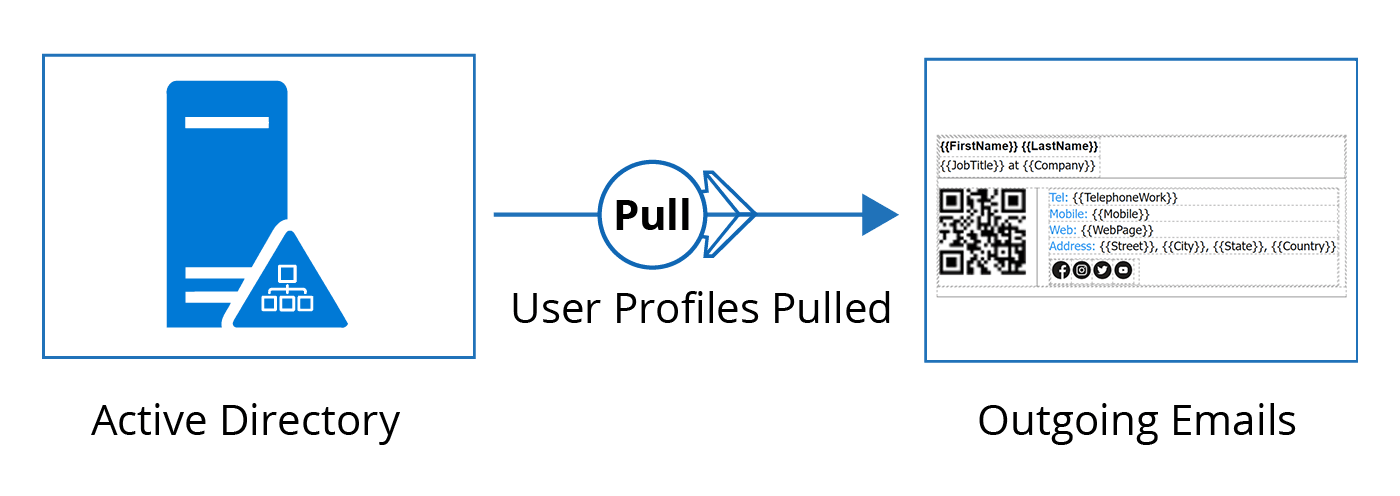
User profiles are pulled directly from the Active Directory. Information pulled directly from Active Directory guarantees accurate contact details on all outgoing emails.
Why ExSign Outlook Edition?
Preview in Outlook, Still under Admin Control
ExSign Outlook Edition allows end users to preview their email signatures fully before sending messages while still giving you, as an IT admin, substantial control over signature management. Every time users open their Outlook client, they are presented with a professionally designed signature from you, ensuring they consistently convey your brand message to customers.
- End users preview their email signatures fully before sending messages
- IT admins keep substantial control over signature management
- A professionally designed signature is presented every time Outlook opens
- Users consistently convey your brand message to customers
Email Signature Management
What ExSign Outlook Edition Manages
Company-wide templates, Active Directory profiles, and scheduled updates keep Outlook signatures consistent without visiting every desk.
Company Wide Signatures
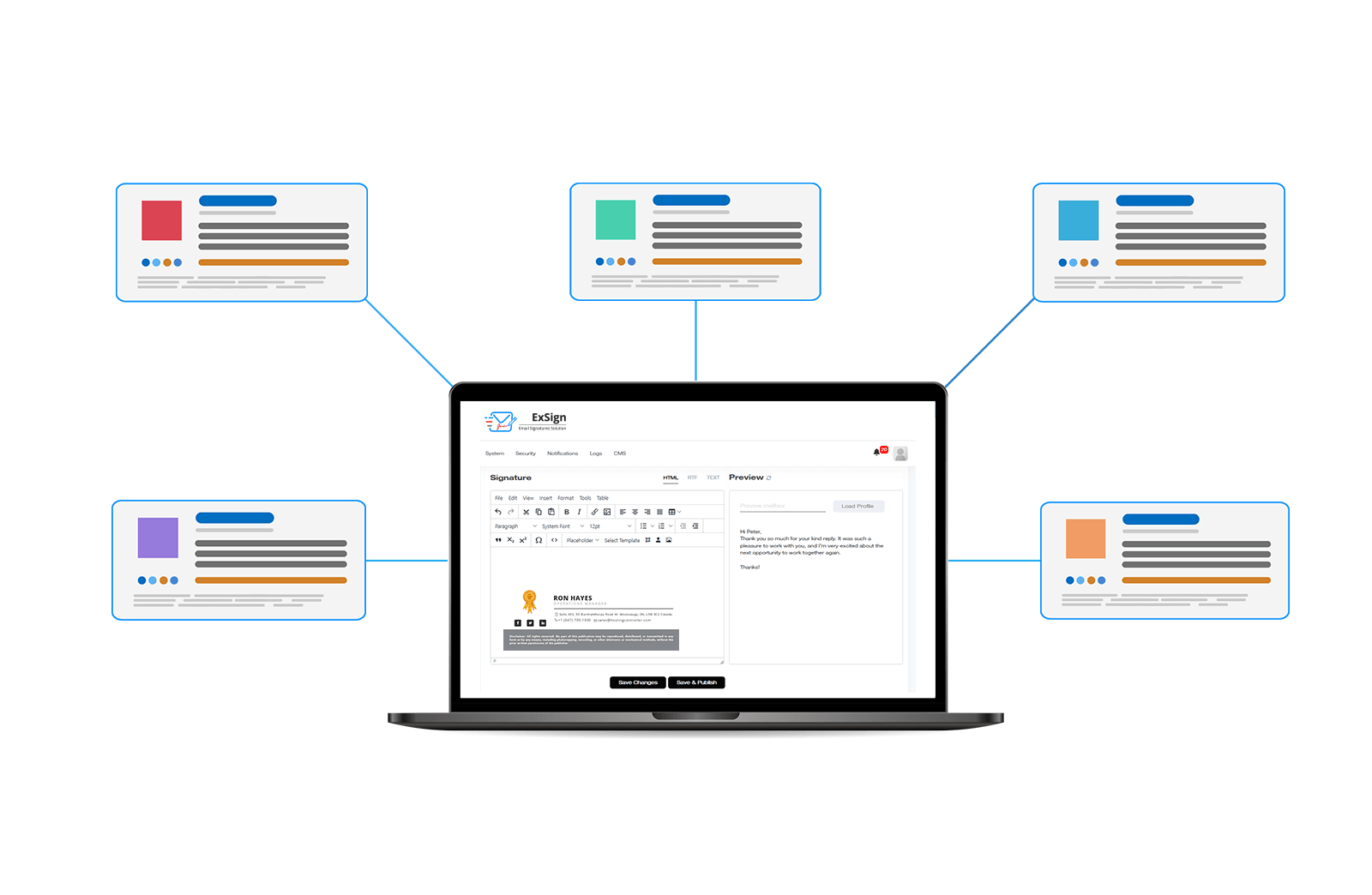
Create standard signatures for all users in your company. Display signatures to your employees, as they type in their emails in their Outlook clients. Maintain full control over signatures while still allowing your employees a full preview.
Active Directory Profiles
Retrieve user profiles directly from Active Directory to ensure accurate and up-to-date user information. Minimize the risk of errors by relying on the always-accurate profiles from Active Directory.
Continuous Update
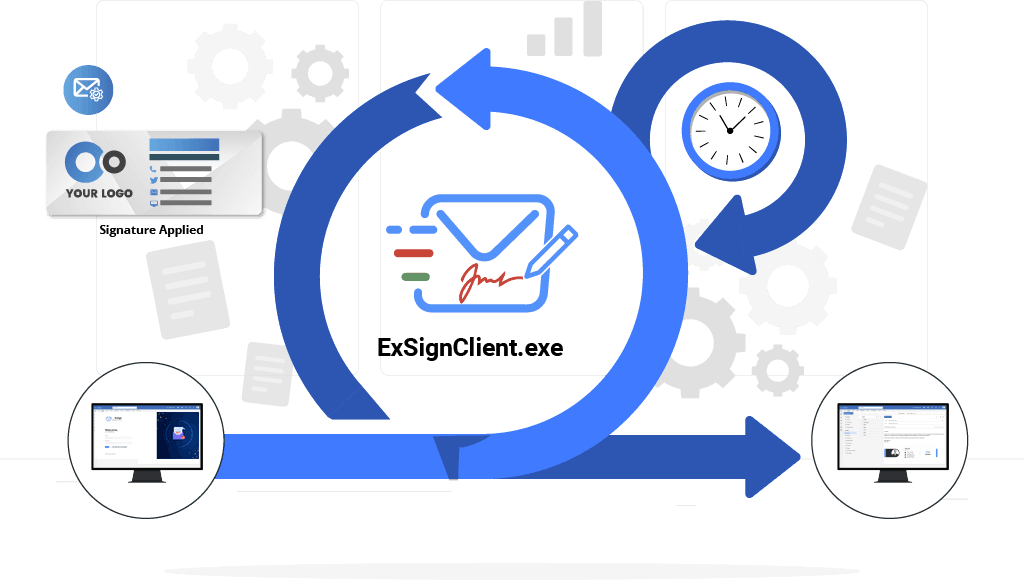
Check for new signature updates either once at startup or at regular intervals. Update and reflect any changes in rules or signatures (in signature templates or manual) in minutes, if there are any. Specify a time interval (in minutes) for the ExSignClient.exe utility to check for updates regularly.
One Suite, Every Platform
ExSign Works With
ExSign is part of a wider email signature suite from Hosting Controller, giving you a consistent management experience whether your organization runs Microsoft Exchange, Microsoft 365, or Google Workspace.
ExSign Outlook Edition for ExchangeCurrent
Client-side signatures for Microsoft Exchange. ExSignClient.exe fetches and updates signatures in Outlook so users see them as they compose.
You are here
ExSign for Microsoft Exchange
Centrally manage and deploy email signatures across your on-premises Microsoft Exchange environment with full Active Directory integration.
Learn more
ExSign for Microsoft 365
Deploy consistent email signatures across your Microsoft 365 tenant. Use server-side, client-side (Outlook Edition), or hybrid mode.
Learn moreSimple Setup, Instant Results
How Does ExSign Outlook Edition Work?
ExSign efficiently deploys and updates email signatures, integrates with Outlook, and ensures stamped emails are delivered via Microsoft Exchange for a professional and consistent communication experience.
Fetch
ExSignClient.exe automatically fetches the latest signatures from the central ExSign portal.
Compose
Signatures are added directly to the email body as senders compose in Microsoft Outlook.
Preview
End users see their professionally designed signature as they type, before they send.
Deliver
The stamped email is delivered via Microsoft Exchange with consistent branding on every message.
Watch Video
How Mail Flows in Outlook Edition
Supported Versions
Choose from a wide range of supported Exchange Server versions.



View Documentation
Learn how ExSign Outlook Edition for Exchange is installed and used.
View DocumentationTry ExSign Client-Side Signatures Today
Schedule a consultation to see Outlook Edition in action.
Schedule a Consultation