For Microsoft 365 and Exchange
On-Premises Email Signature Software
Uniform email signatures across your organization.
(30-day free trial)


Unified Email Signatures for On-Premises Environments
Create captivating signatures and disclaimers with ExSign for Microsoft 365 from a central location. Instead of adding email signatures individually for every user in the Microsoft 365 organization/tenant, define your rules centrally and stamp professional signatures on outgoing messages based on these rules.

Microsoft Gold Partner
Watch Video
How to Configure ExSign for Microsoft 365

Where to Deploy the M365 Agent?
Have full control of the stamping agent. Keep the agent in-house, on any Windows machine, on your own premises or Place the agent on a virtual machine in any cloud service like AWS or Azure. The choice is yours!
Manage All Signatures Centrally
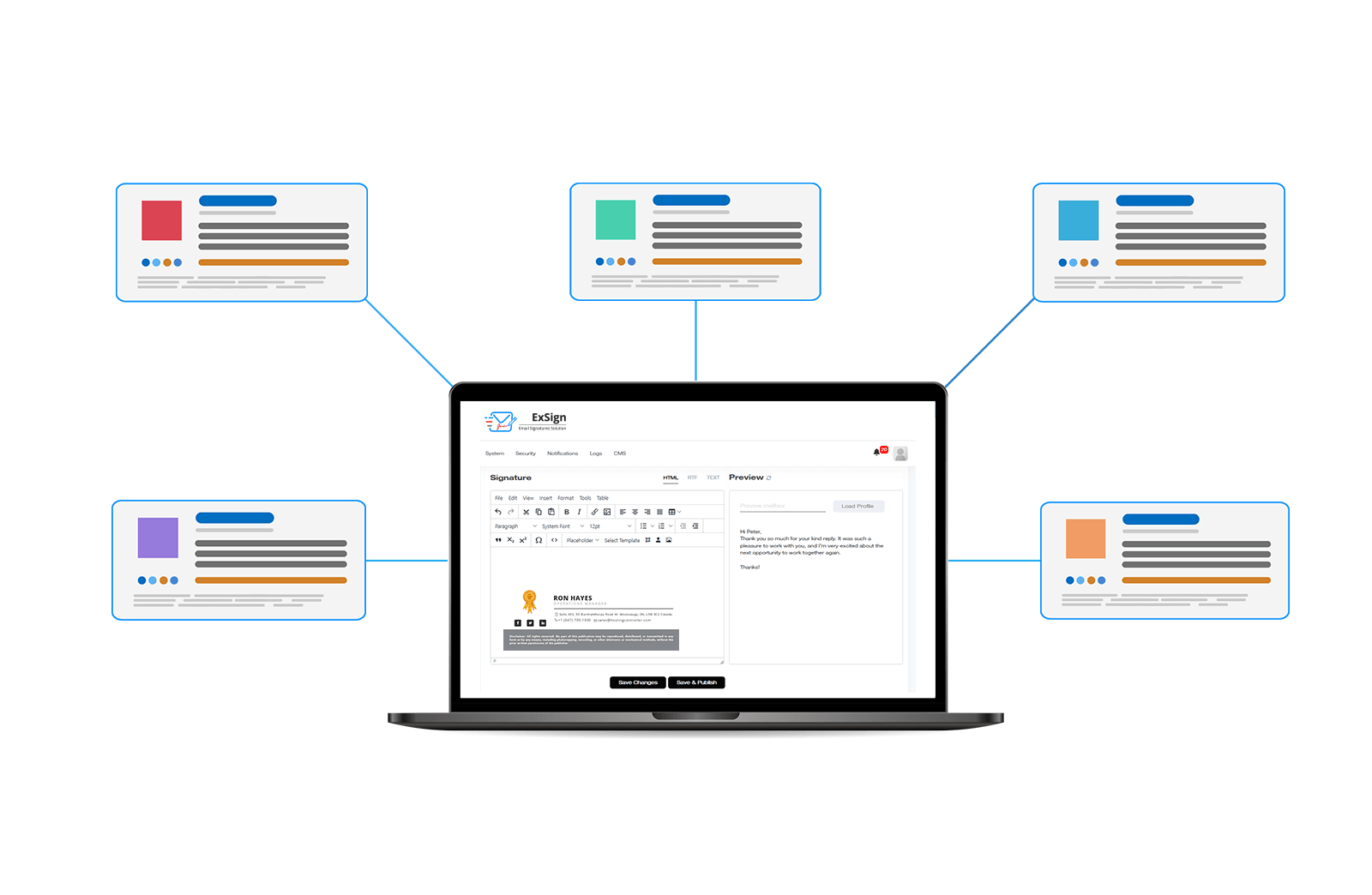
Control signatures across all organizations from one place. Allow admins to add Microsoft 365 and Exchange email signatures and disclaimers to a central interface. Enable global administrators to gain a bird's-eye view of all the rules and content across multiple Exchange and Microsoft 365 organizations in one place and administer them accordingly.
Hybrid Mode
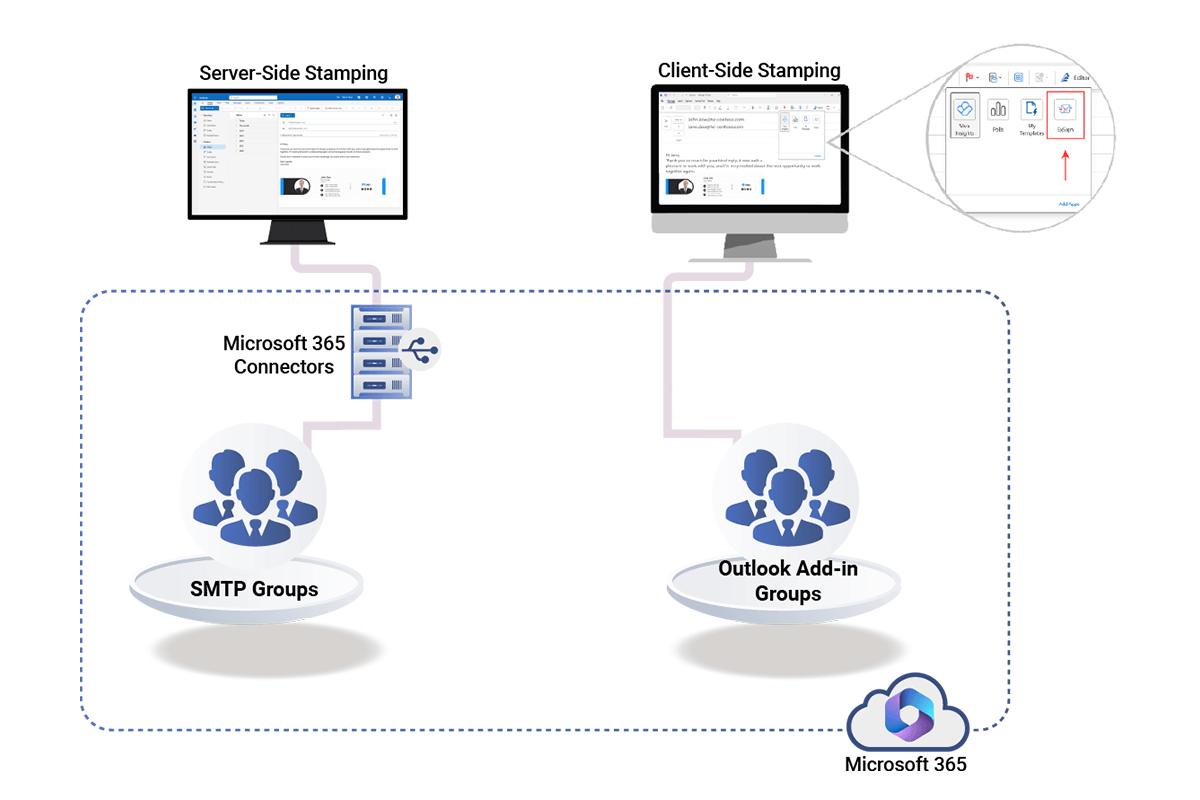
Deploy in a hybrid mode. Deploy ExSign for Microsoft 365 in hybrid mode, allowing some mailboxes within the Microsoft 365 tenant/organization to send emails via an SMTP service, while others leverage an Outlook add-in. This ensures that certain groups within the Microsoft 365 tenant can use SMTP (server-side) signatures, while others have access to Outlook add-in (client-side) signatures.
Learn MoreHighly Available
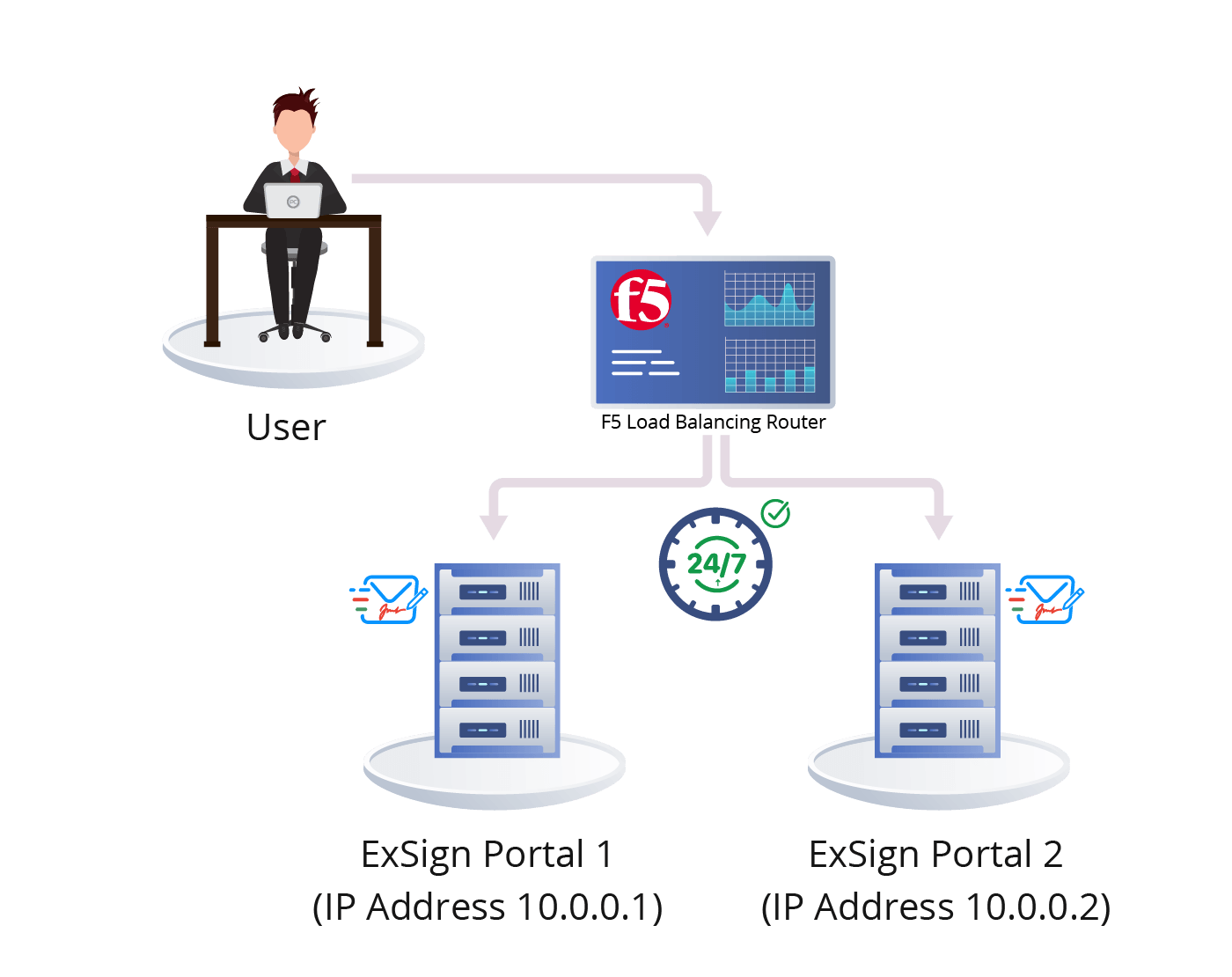
Optimal performance round the clock. Deploy in a highly available mode. Ensure the ExSign Web Portal maintains high availability and optimal performance 24/7, with zero system downtime. Ensure high availability for both:
- User-to-portal communication.
- Agent-to-portal communication.
Microsoft 365 vs ExSign
Overcome the limitations inherent in native tools with ExSign for Microsoft 365
Microsoft 365
Image Embedding
Images cannot be embedded in email signatures.
Signature Placement
Signatures cannot be inserted directly under the latest email reply or forward.
Formatting Options
By default, no formatting options are provided, which means users have to manually apply styling.
Variable Insertion
Lines that contain variables that can’t be updated, cannot be skipped.
Device Support
Signatures are not consistent across all devices.
ExSign
Image Embedding
Embed images directly in email signatures.
Signature Placement
Insert signatures directly under the latest email reply or forward.
Formatting Options
Create professionally formatted signatures and disclaimers with an inbuilt HTML editor.
Variable Insertion
Skip lines that contain variables that can’t be updated, with ease.
Device Support
Furnish consistent signatures across all clients and devices.
Why ExSign On-Premises Solution
Keeping the email signature stamping agent on premises enables your emails to remain within your organization’s infrastructure during the signature stamping process, reducing exposure to third-party cloud services and minimizing security risks. Administrators maintain full control over how emails are processed, routed, and stamped without relying on external cloud-based processing services.