Web-Based Synchronization of Identities
AD Connect Sync Plus
Synchronize your identities between Active Directories with centralized management through a central portal.
Web Based System
Synchronize your Active Directory identities, group membership, and passwords between Active Directories but manage all Active Directories through a web interface.
Control Everything Centrally Through a Web Interface
Capabilities
Synchronize Identities across Active Directories
Map multiple sources and targets, encrypt traffic over the internet, and administer everything from one portal.
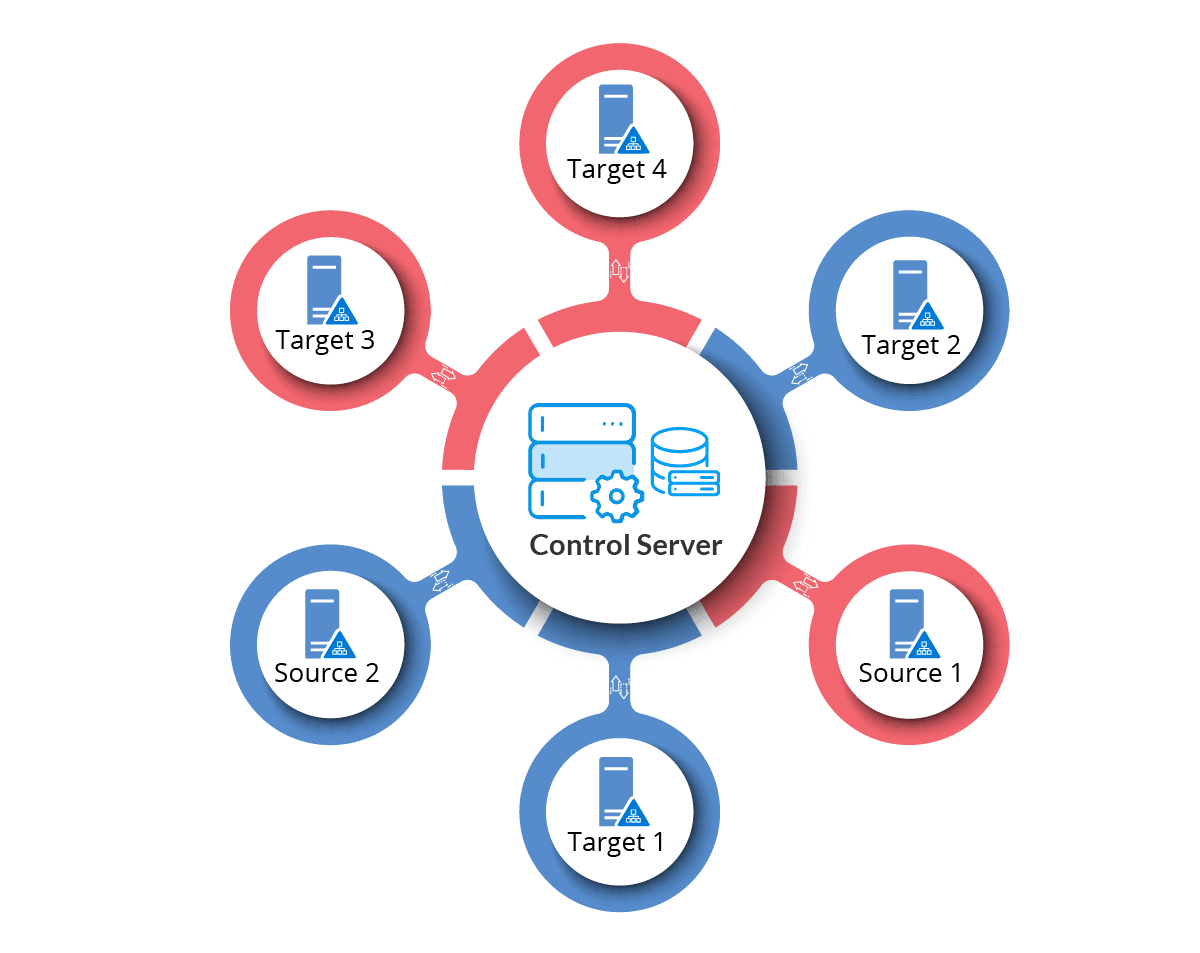
Multiple Active Directories
Allow synchronization between multiple sources and targets. The AD Connect Sync Plus Portal will map the source Active Directories to the targets and record these mappings for a smooth and continuous flow.
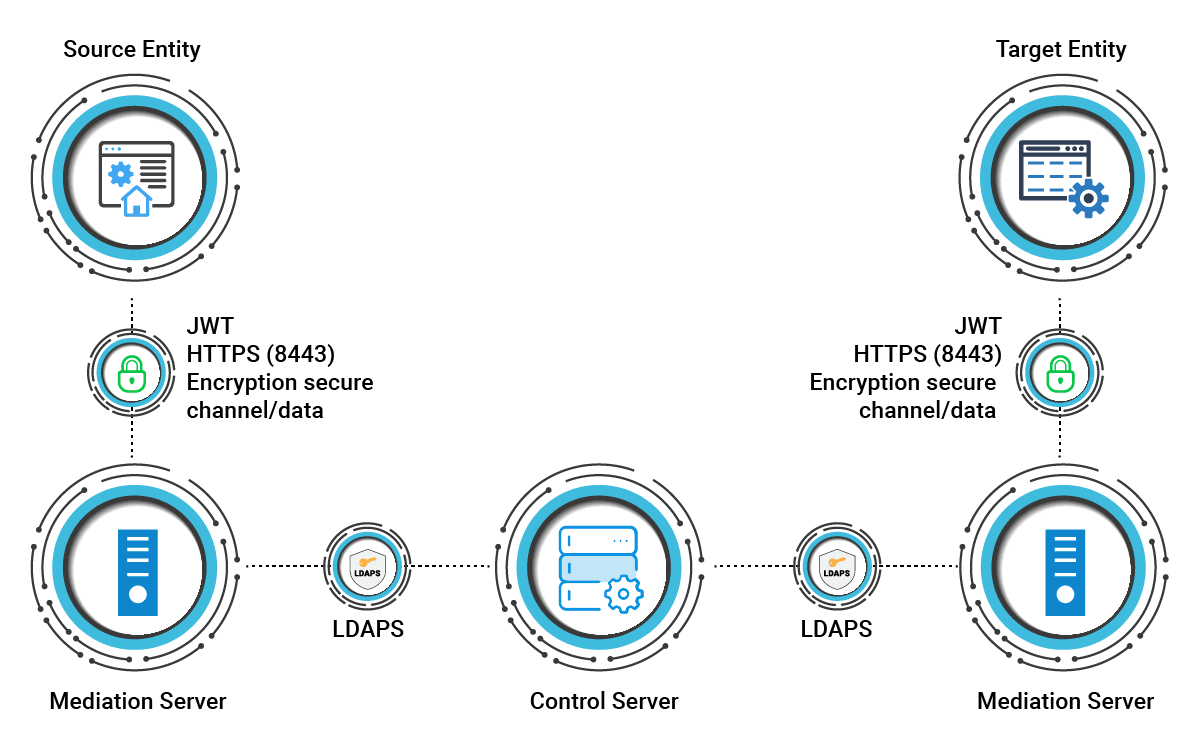
Communication over the Internet
Carry communication over the internet with an encrypted and secured connection between the source and destination entities using multiple application and system-level encryptions. Communication between the mediation servers and Domain Controllers is established using the LDAPS protocol.
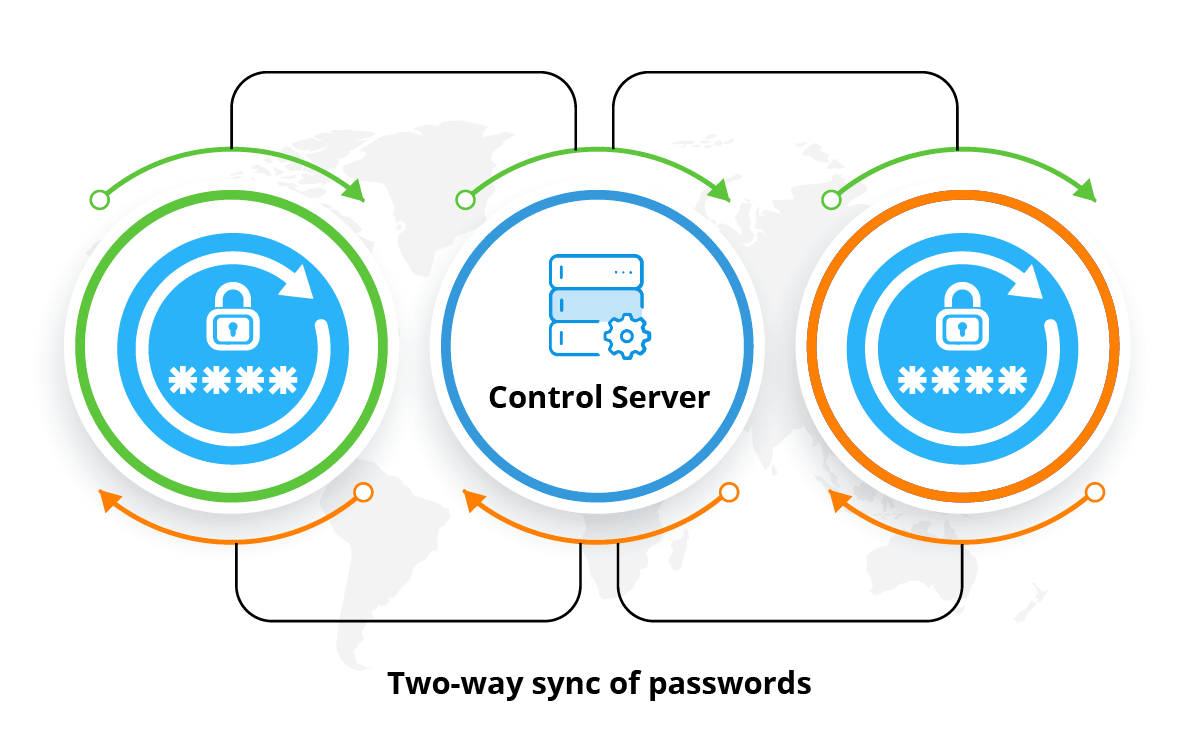
Password Write Back
Synchronize password changes from a source Active Directory to a target and vice versa. Capture password changes in real-time through password hooks, from both sides and write them back to the other side.
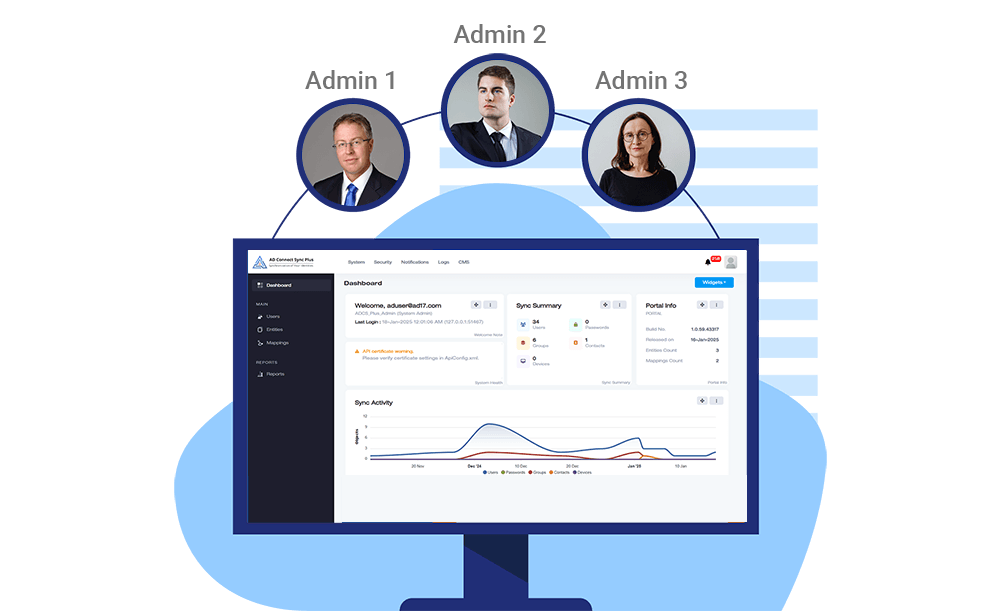
Multi-Admin Access
Enable more than one administrator to access the system. All members of an Active Directory security group can log in to the web interface of AD Connect Sync Plus as admins and administer ADCS Plus. Apart from admins, create multiple user roles that may only view various settings and reports in the portal.
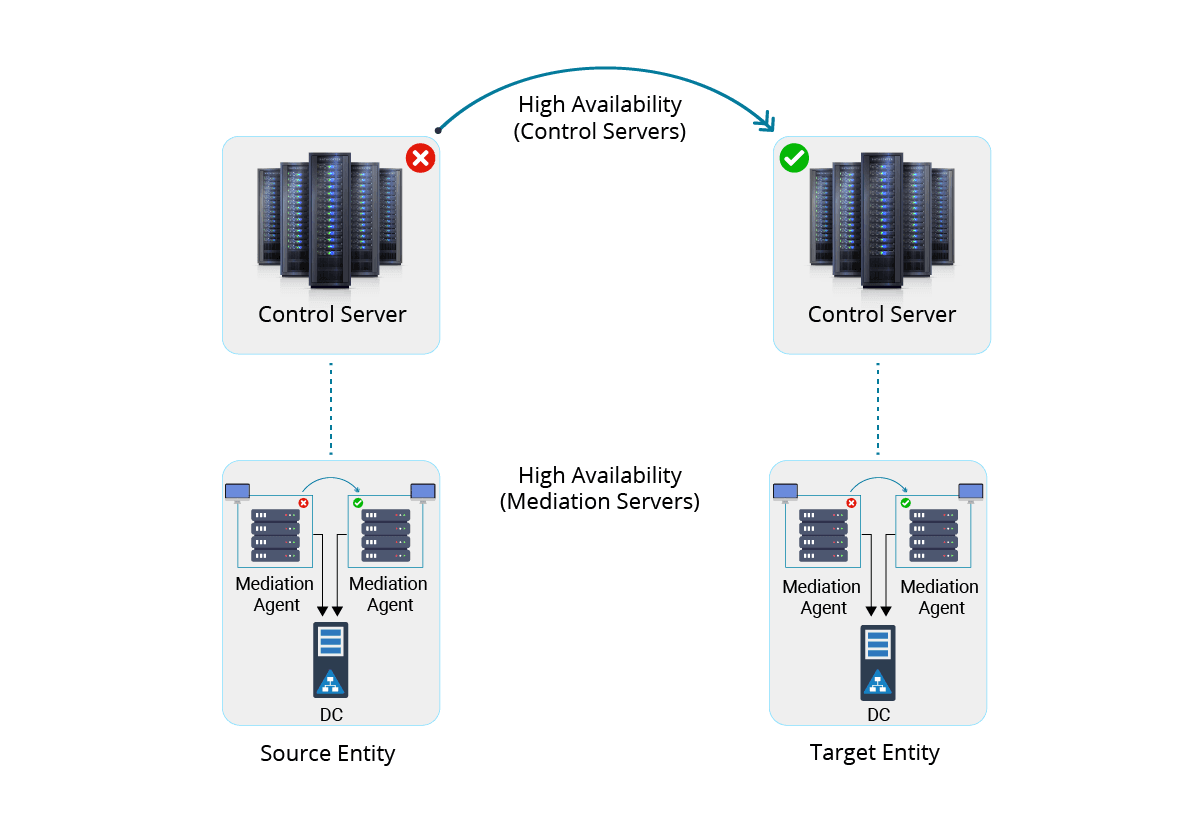
High Availability
Deploy multiple instances of the control server in active passive mode so that if one server goes down, the load is directed to the other servers. On the entity side, run multiple copies of the mediation server in active passive mode. The available mediation server will push synchronization data towards the control server.
Logging
Record all user logins and operations through detailed audit logs. The audit trail includes usernames, actions performed, IP logs, and timestamps besides other useful details. Trace synchronization activities through these logs and identify any bottlenecks that may occur time to time.

Reporting
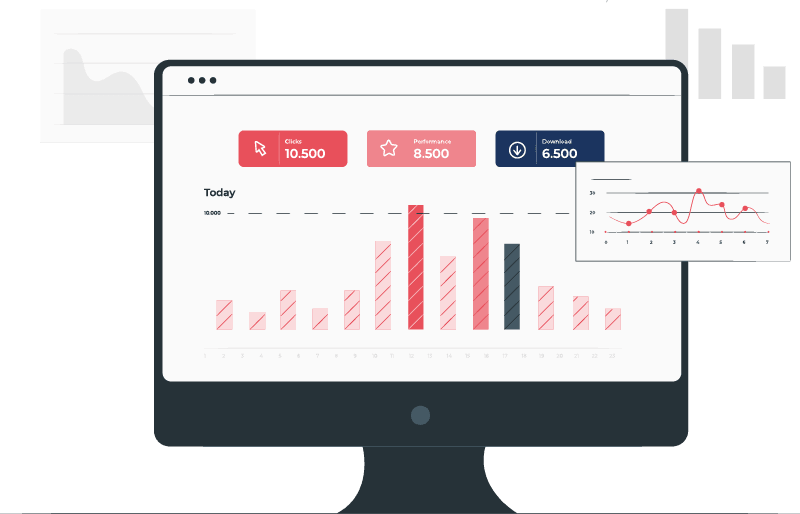
Make informed decisions based on business intelligence. View the exact number of users, groups, contacts, and passwords synchronized over various lengths of time. Make sense of the synchronization activities and deduce useful results from them. And not only view the reports but also download them in .csv format.
Comparison with AD Connect Sync
Let's see how AD Connect Sync Plus stacks up against our conventional AD Connect Sync desktop solution.
AD Connect Sync
Desktop Solution
AD Connect Sync is a desktop solution.
Installation
Direct installation on Domain Controllers.
Local Control
Management at the entity level with more local control.
Uni-Directional Password Sync
One-way sync of passwords.
Single Access Control
A user with significant privileges can log in to the DC.
Decentralized Logging
Logging available individually on the entity sites.
AD Connect Sync Plus
Web Based
AD Connect Sync Plus is a web-based solution.
Installation
Installation required only on Mediation servers.
Central Management
Central management via a single console.
Bi-Directional Password Sync
Two-way sync of passwords.
Multiple Admins
Multiple admins have administrative control.
Central Logging
Centralized monitoring, logging, and reporting.