|
|
|
|
Provide the following settings as required for the database server:
MySQL Settings
Database Service File Path:
It displays the database service file Path. Click Browse to select file path.
mysql File Path:
It displays the mysql file Path. Click Browse to select file path.
mysqldump File Path:
It displays the mysqldump file Path. Click Browse to select file path.
Add MySQL Instance
MySQL Server Name:
Specify MYSQL server name here.
MySQL IP Address:
It is the IP address of the MySQL server name.
MySQL Port:
Enter the port on which MySQL server is running.
MySQL Administrator Name:
Provide here the root account login name.
MySQL Administrator Password:
Provide here the password of root login.
Confirm password:
Re-enter your password.
Test Connectivity:
Click the Test button to check the connectivity of Database Server.
Finally, Click on the Add MySQL instance to complete the procedure.
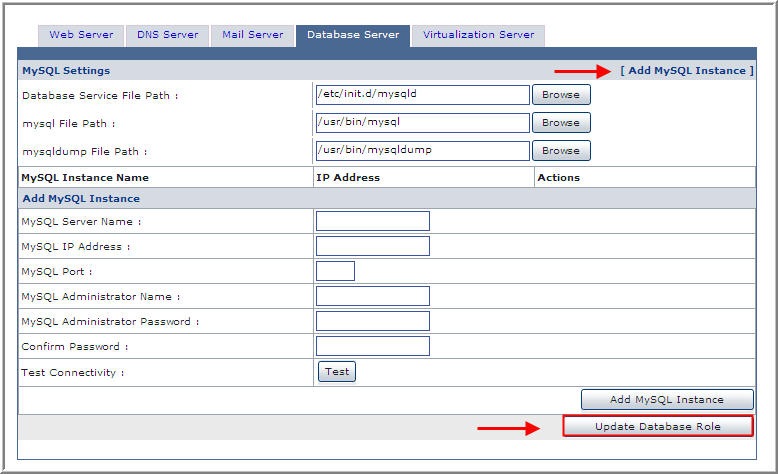
Click Update Database Role button to apply the changes.
See Also:

|
© Hosting Controller 1998-2011. All Rights Reserved |
